📊 Introducing the Monitoring Dashboard
We’ve just released a new landing page & dashboard that gives you real-time visibility into the health of your connectors and transforms.
Let's take a deeper look 👇
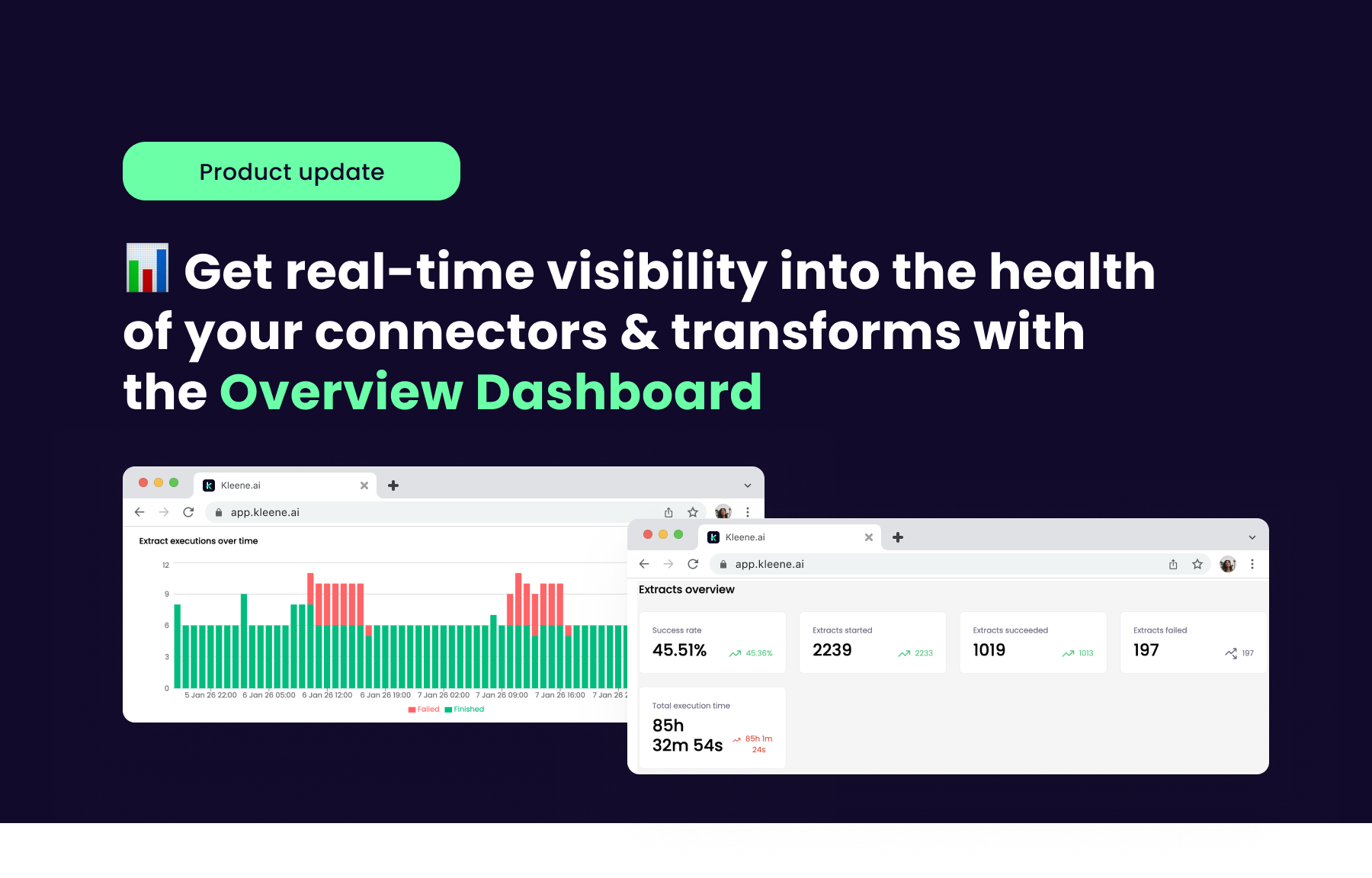
The dashboard presents key metrics, real-time statistics, and actionable insights. You can quickly assess the health and performance of your pipelines, spot issues like slow-running transformations, and make informed decisions about optimization and resource allocation.
🛠️ How it works
Summary Overview Panel
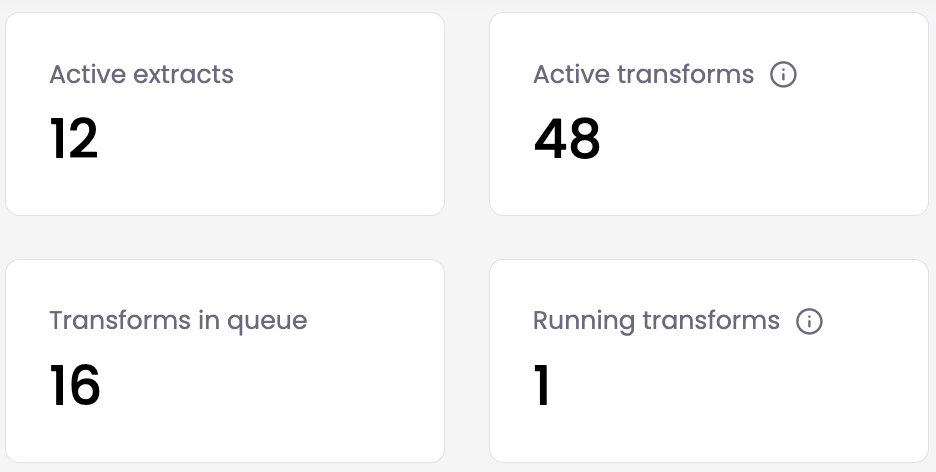
Get an overview of active extracts, active transforms (scheduled & non-scheduled), transforms in queue and running transforms. Content can be filtered by custom date ranges.
Extract Overview
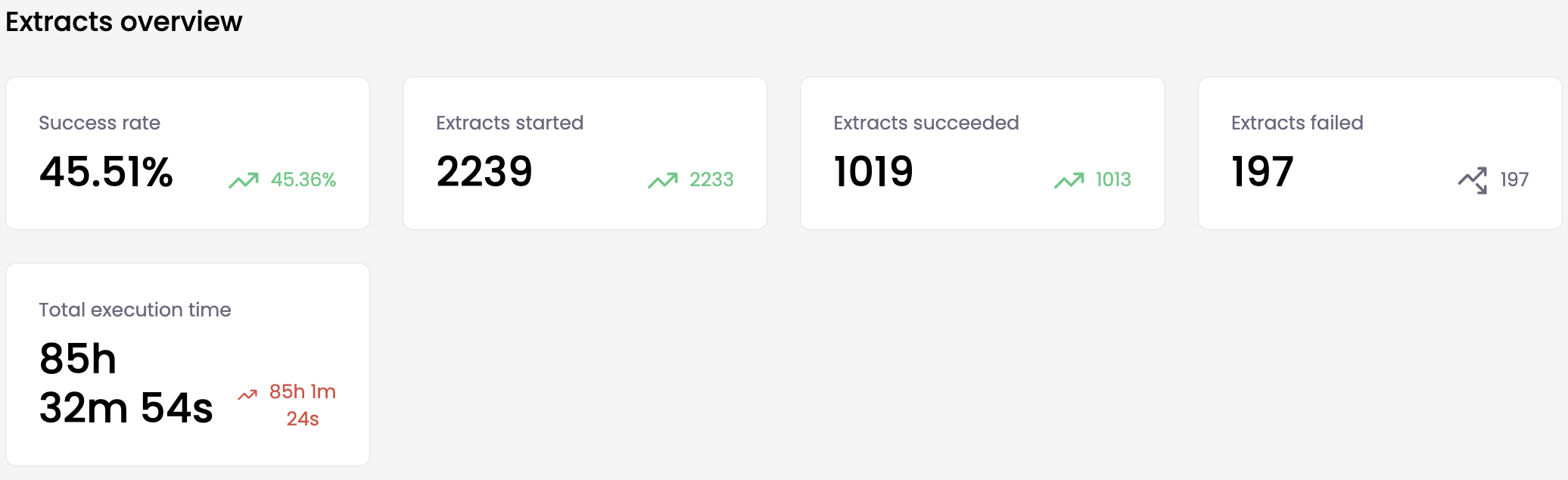
Get a bird’s eye view of your extracts, with data on success rate, failed extracts and total execution time available at a glance. Can be configured to monitor up to 5 sources at a time.
Transforms Overview
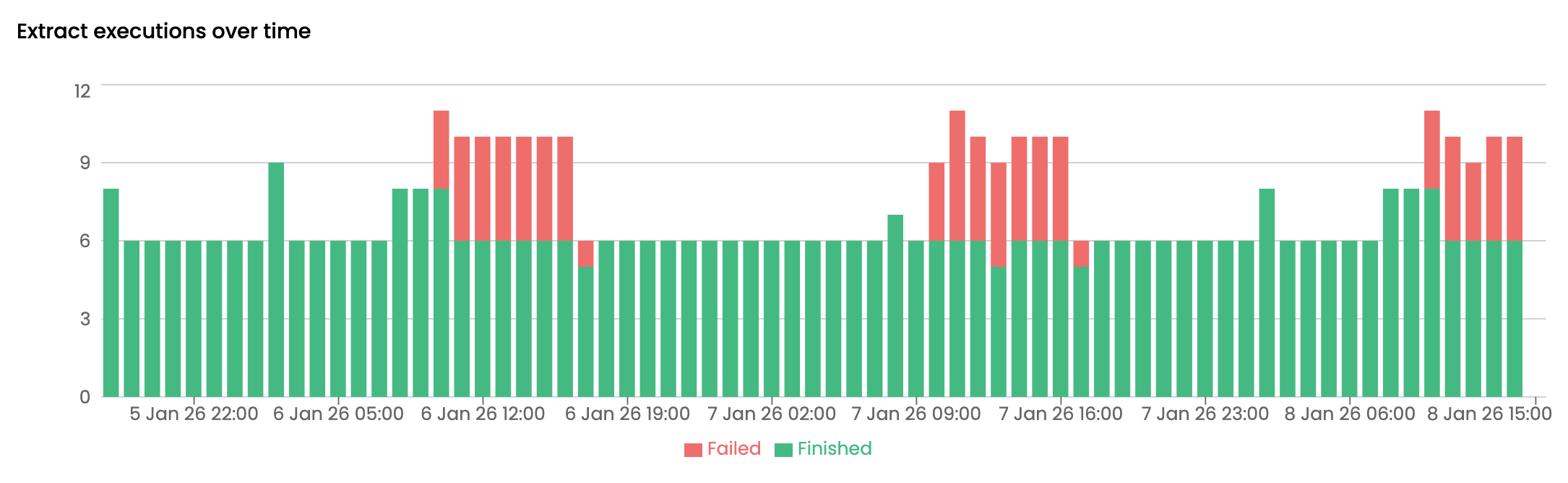
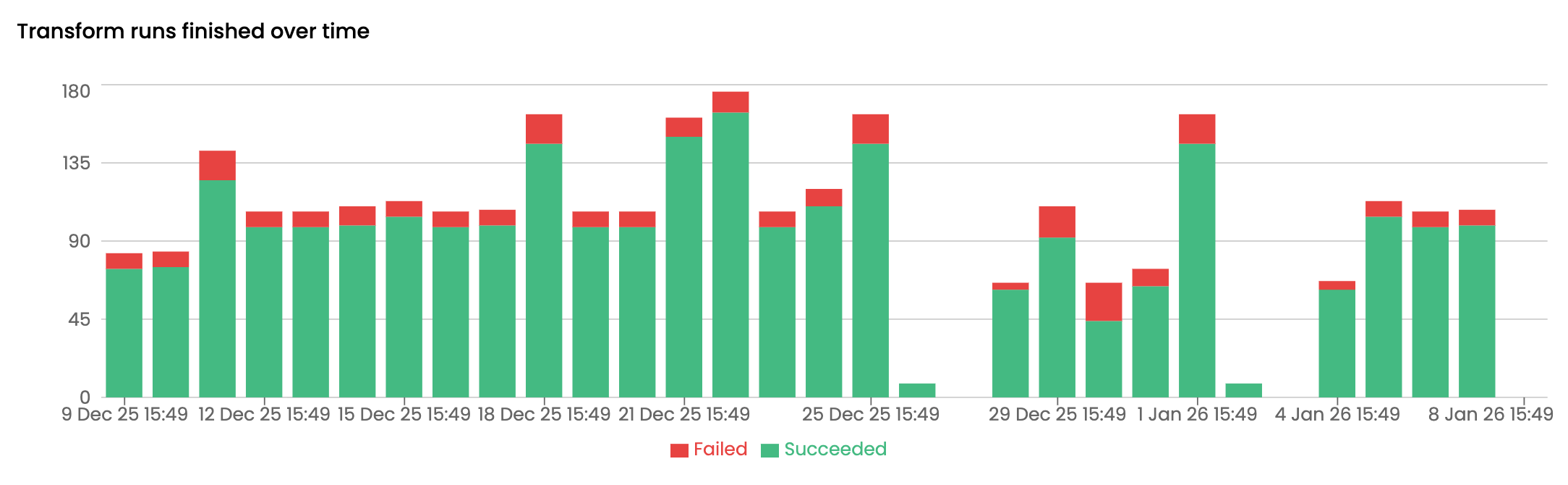
Quickly gain insights into your transforms’ performance. View total number of transforms over time, broken down by success/failure using color coding. You can also view your 10 slowest-running transforms and the 10 most recently failed.
🎯 Reliable data starts with visibility. The new Monitoring Dashboard gives teams a clear, real-time view of pipeline health, so issues are caught early.